How IT Teams Can Customize SaaS Workflow Automations for Unique Business Needs
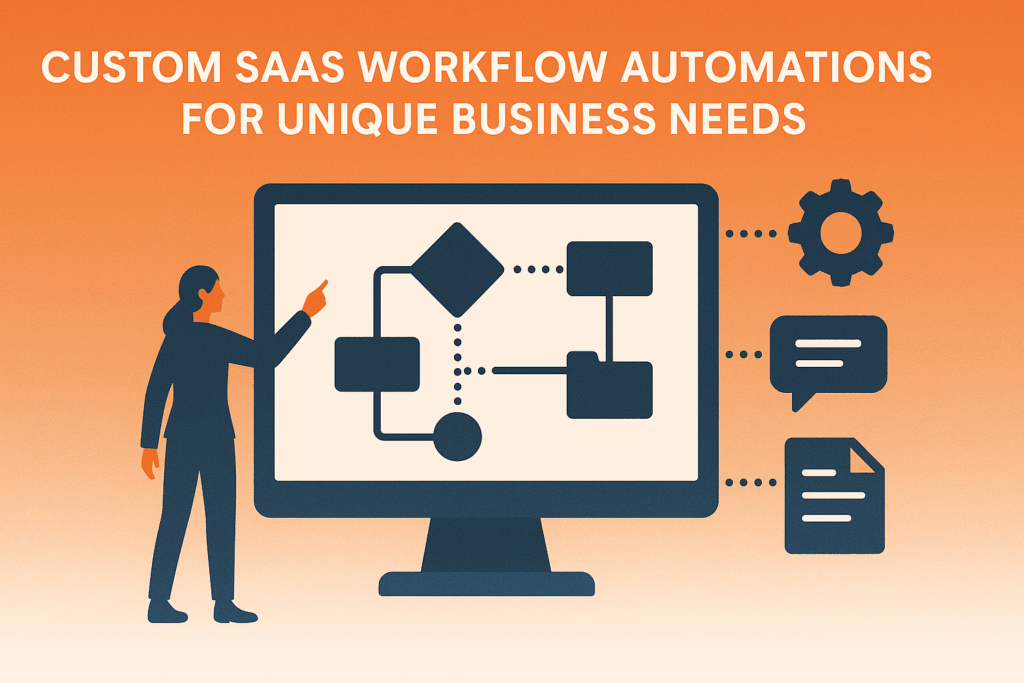
IT teams can customize SaaS workflow automation by aligning process maps with real business operations, setting precise triggers, and integrating data between systems. This ensures workflows support what the business actually does instead of forcing teams to adapt to generic software templates.
Why Custom SaaS Workflow Automation Matters
Customizing SaaS workflows means tailoring automation to fit your organization’s structure, policies, and goals. It transforms routine tasks into intelligent, interconnected processes that improve productivity and accuracy.
Key Statistics on Workflow Automation
- According to ServiceNow (2024), workflow automation can save organizations up to 77% of their time on key processes.
- The global workflow automation market reached USD 20.3 billion in 2023 and is projected to grow at a 10.1% CAGR through 2032, according to Global Market Insights (2024).
- Kissflow (2024) reports that 83% of IT leaders believe workflow automation is essential for digital transformation.
These numbers prove that automation is a high-impact investment. However, success depends on customizing SaaS workflows to reflect the unique nature of your business.
Assessing Business Needs Before Customizing SaaS Workflow Automation
What Is a Custom Workflow Portal?
A custom workflow portal is a tailored system interface where users can initiate, track, and manage business processes that follow specific rules and approval chains unique to the organization. It allows automation of end-to-end activities like purchase approvals, onboarding, or compliance checks.
How to Identify and Map Business Needs
- Audit existing workflows: List repetitive, time-consuming, or error-prone processes.
- Identify manual bottlenecks: Find steps that cause delays or depend heavily on human input.
- Define success metrics: Establish KPIs such as cycle-time reduction or error rate improvement.
- Prioritize for automation: Start with processes that deliver the most impact.
By mapping these needs, IT teams ensure each automated workflow is purpose-built and supports actual business objectives.
Choosing a SaaS Workflow Platform That Supports Customization
Features to Look For
- Visual workflow builder for easy design and modification.
- Conditional logic and triggers that handle complex business rules.
- Integration capabilities through APIs, connectors, or webhooks.
- Customizable forms and dashboards that reflect your brand and capture relevant data.
- Security controls and audit trails to ensure compliance.
- Analytics tools that track efficiency, compliance, and exceptions.
Example: Choosing the Right Platform
An IT department in a healthcare company selected a SaaS platform with HIPAA-compliant data handling. They customized workflows for patient intake, automatically routing medical records to specialists and billing systems, reducing manual handoffs and improving patient onboarding time by 40%.
Designing the Custom Workflow
Step-by-Step Process
- Define workflow stages such as “Initiate,” “Review,” “Approve,” and “Execute.”
- Assign user roles and permissions to control who can start, edit, or approve tasks.
- Create triggers and rules that respond to data changes or events.
- Integrate data sources from CRMs, HR systems, or ERPs to avoid duplicate entry.
- Build reports and dashboards to visualize performance.
- Test and iterate using pilot groups and user feedback before a full rollout.
Example: IT Service Management Workflow
An IT support team builds a workflow for equipment requests. Employees submit a form that automatically checks inventory, routes approval to their manager, and creates a purchase order if items are out of stock. Notifications update the requester at each stage, reducing follow-up emails and manual tracking.
Real-World Examples of Customized Workflows
1. Finance: Automated Expense Approval
Finance teams can create workflows that automatically flag expense reports exceeding a threshold for higher-level approval. The system can integrate with accounting software to record approved expenses instantly. This reduces processing time from several days to just hours.
2. Human Resources: Employee Onboarding
HR departments can automate onboarding using a custom workflow portal that triggers multiple parallel actions: sending offer letters, creating user accounts, provisioning equipment, and enrolling new hires in training programs. A manufacturing firm used such a workflow to reduce onboarding time by 60%.
3. Sales and Marketing: Lead Management Workflow
A marketing team can design workflows that assign leads based on territory or product line. When a lead fills a web form, the system routes it automatically to the correct salesperson and schedules a follow-up reminder. Integration with CRM ensures the data stays consistent across platforms.
4. Healthcare: Patient Referral Automation
Hospitals can use SaaS workflow customization to automate patient referral management. When a doctor enters a referral, the system notifies the specialist, books the appointment, and updates the electronic health record. This reduces administrative work and speeds up patient care coordination.
5. Manufacturing: Quality Control Workflow
A factory can implement a workflow that automatically assigns inspection tasks when a batch is completed. If a defect is logged, it triggers alerts for the production manager and quality assurance team. Data is logged for compliance and continuous improvement.
How IT Teams Customize SaaS Workflow Automations for Unique Business Needs
Core Principles for Success
- Business alignment: The automation should mirror actual business processes and policies.
- User-centered design: Make sure the portal is intuitive to ensure adoption.
- Scalability: Allow flexibility for future changes in rules or roles.
- Strong integration: Connect all relevant systems for seamless data flow.
- Governance: Track changes and maintain audit logs for accountability.
- Change management: Train users and gather feedback regularly.
Example: Retail Order Fulfillment Workflow
A retail company automated its order fulfillment process. Orders placed on the e-commerce site automatically update the warehouse system, trigger shipping label creation, and send confirmation emails to customers. This reduced order errors and improved delivery speed by 35%.
Comparing Out-of-the-Box vs. Customized Workflow Portals
| Feature | Generic Workflow Portal | Custom Workflow Portal |
|---|---|---|
| Process fit | Follows standard patterns | Designed for your exact business logic |
| Integrations | Limited or basic | Deep integration with business systems |
| User experience | Generic interface | Personalized and branded design |
| Flexibility | Hard to modify | Easily adaptable and scalable |
| Metrics | Basic reports | Custom KPIs and dashboards |
| Adoption | Slower | Higher due to relevance and usability |
When to Opt for Customization
- Processes differ from industry norms.
- Multiple departments or systems need to collaborate.
- Compliance or audit requirements demand specific routing or approvals.
- Manual data transfer or communication is slowing progress.
Best Practices
- Start with high-impact workflows first.
- Use platform templates and adapt them rather than starting from scratch.
- Involve stakeholders early in design.
- Test and validate before scaling.
- Use analytics to continuously improve performance.
Quick Facts and Key Takeaways
- 77% of time can be saved through effective workflow automation (ServiceNow, 2024).
- The workflow automation market is worth over $20 billion and growing rapidly (GMI, 2024).
- 83% of IT leaders see workflow automation as vital for transformation (Kissflow, 2024).
- Custom workflows improve accuracy, reduce manual work, and increase transparency.
- Custom workflow portals can be applied across HR, finance, IT, sales, and healthcare.
- Integration and continuous improvement are critical for long-term success.
Conclusion
SaaS workflow automation delivers the best results when it is tailored to your organization’s structure, tools, and goals. Instead of adapting to a generic system, businesses that customize their workflows can automate complex operations, reduce errors, and scale efficiently.
IT teams should start small, design around real business needs, and use data-driven iteration to perfect each process. The outcome is not just automation but a competitive advantage powered by precision, speed, and insight.
Ready to optimize your business workflows?
Partner with VIVA USA Inc., a leader in contingent staffing and IT solutions, to design and implement customized workflow automation that fits your organization’s unique goals. Contact us today to learn how VIVA can help you accelerate digital transformation.